Welcome to the new and improved dustn.tv! I’ve been working for months behind the scenes here and I’m so excited to share with you all that I’ve been working on! Let’s begin.

It’s not as dramatic a transformation from the outside, but from a functionality standpoint there are some pretty significant changes. This is mostly thanks to the newest version of Standard Theme that was released on Friday. I wanted to walk you through each of the major changes to help you better use the site and get an idea of the thought process behind each new element.
The Logo
I decided my logo needed to be the first thing I worked on. It is the symbol that will represent my personal brand, so I really took the time to craft something solid, simple, and memorable (erring on the side of simplicity). The result is what you see above.
I started by solidifying my color palette and decided what the core of my personal brand was about. This new logo is what I decided on.
Differing from my old logo (which was just “dustn“) I made the choice to add the “.tv” to the final logo. There were a few reasons for that choice:
- To make sure the web address was memorable. I didn’t want people accidentally going to “dustn.com” since I don’t own that property… yet.
- To allow room for brand growth. My business services site is dustn.co. I separate them to stay more organized.
- It just plain looked better. In my humble, professional designer opinion.
You’ll begin to see my branding accross all my digital properties begin to reflect this new logo as I find the time to update them all.
The Navigation

Right at the top, you’ll notice a reworked navigation menu. I’m pretty excited about this because it incorporates some pretty cool functionality.
The first thing you’ll notice is that it’s no longer 2 bars. This saves vertical space in the browser, and just looks cleaner. I have a personal vendetta against clutter and this new navigation bar reflects that nicely.
Next, you’ve probably already realized that the navigation menu follows you down the screen as you scroll! How fun is that? (Okay, maybe more fun for me than it is for you… I love it!) I wanted you to be able to quickly navigate your way around my site without having to scroll all the way up.
You’ll also notice that my logo is the first item in the navigation. This wasn’t just for vanity, but again for convenience. It serves as an easy link back to the home page.
Social Icons
![]()
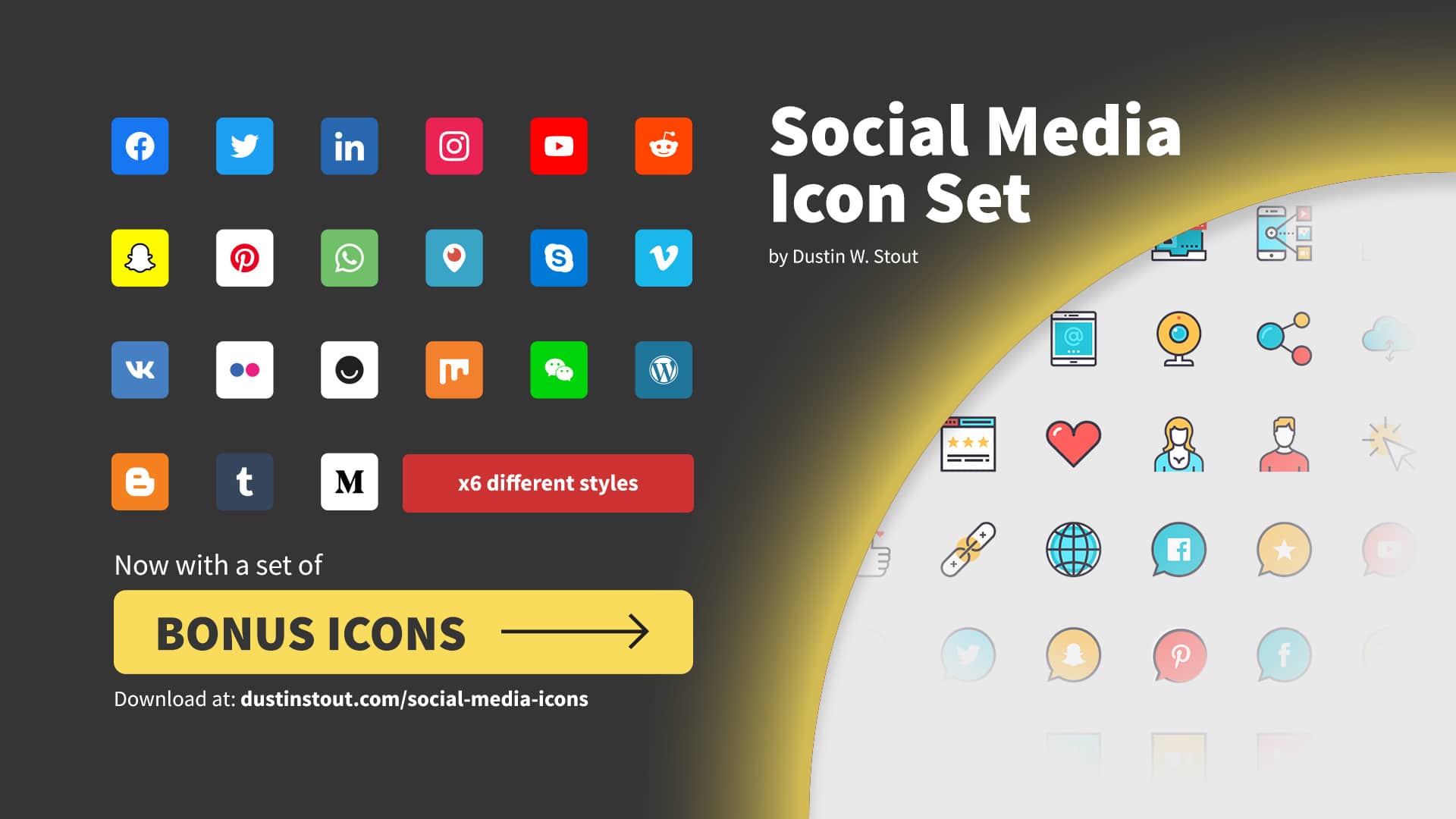
Custom created by yours truly. I designed these cute little icons with minimalism in mind. I didn’t want them to be typical, and I certainly didn’t want them to be too bulky looking. When I couldn’t find any icon sets that felt like they would fit, I just created my own.
I hope to release a set of these icons in the near future that will be free to download.
Post Titles
They’re massive. This should make them more scannable if you haven’t visited in a while and you want to quickly scroll through to see if there are any headlines that catch your eye.
Post Typography
I probably spent too much time deciding on the typography that I would use site-wide. I settled on the two Google Web Fonts that had everything that I was looking for in a font.
I’ve also added a bit of space between the text and the post container (white space). This is to make sure that your eyes have plenty of room to breathe as you’re reading. More on this concept in a later post.
In a nutshell, I wanted to give you a reading experience that was as close to reading a book as possible.
Scrolling Share Bar
I’ve switched to the Digg Digg plugin by Buffer. I’ve also styled it so that when you’re not interacting with it, it is dimmed out as to not distract from your reading. It may be a little buggy in Internet Explorer (as some have reported) so bear with me as I work out the kinks. Oh and by the way… get off Internet Explorer!
You likely won’t see it if you’re viewing on a mobile device since it’s off to the side of the posts, but that was a sacrifice I was willing to make in order for your reading to be uninterrupted.
Which brings me to my next point…
Responsive = Awesome
Yes indeed! Dustn.tv is now capable of transforming to fit whatever size screen you are viewing on! If you’re on a regular computer screen, the site looks just as it should. If you’re on a mobile browser, the site reconfigures itself to fit perfectly on your mobile screen!
Go ahead and give it a try right now! If you’re on a desktop or laptop, resize your browser window horizontally and watch how the site resizes itself to fit your screen.
Ooh… fun eh? This is all thanks again to the brilliant people at 8BIT who made sure Standard 3.0 was beautifully responsive out of the box. Kudos to Tom McFarlin and his ninja-like developing skills!
It’s not 100% perfect– there are some styling issues I have yet to work out for smartphone screens, but overall I’m extremely happy with it.
Search Bar
Okay, I totally stole this from the 8BIT site. Jarred Erickson is the genius designer that inspired a lot of my design elements and I’ll be the first to admit I straight up ganked the styling for that search bar. (That means I stole it.)
I also borrowed his styling on the drop down menus for the navigation bar as well as the page navigation for this site. I’m sure he doesn’t mind. He’s cool like that.
Tabbed Widget
Replacing the “Top Posts” and “Top Commenters” widgets for the time being, I really love this new tabbed widget. It comes with Standard Theme and works beautifully out of the box.
I’ll be working on building some extra functionality into it, but until then I think it works just fine!
What does all this mean for you?
As a designer and consultant, I spend a lot of time helping individuals, brands, and businesses work on their digital brand image. From concept development, to logo design and web site design. When I started this blog, I didn’t spend the same amount of time, energy, or creativity taking my own brand through the same process. Well, that’s not entirely true; I did go through that same process, but not with the same extent that I would for a client.
Now that I have had the time to give serious thought and attention to my own brand image I wanted to take the time to use my own blog as an example for you to learn from. I’m putting my personal work on the dissecting table as a case study. Over the next few weeks (and/or months) I’ll be doing a series of posts on blog design using my own site as a living example.
I’m going to break down all the elements I’ve talked about here (and maybe some more) in depth so that you will have a greater grasp on how to make your own site visually awesome!
I hope you like the new site design! More importantly, I hope it makes your time spent here more awesome! If you have any questions or if you find any bugs that need my attention, feel free to visit my contact page and drop me a line!
What do you think of the new site? I’d love to hear your thoughts! You can leave a comment by clicking here.


wow, these customizations are intense…..! great job!
Thanks John!
I am just starting to play around with 3.0 for some sites that I manage! Great stuff and I love the social icons you made!
Thanks Stephen! What sites are you implementing on?
First thing I noticed — those awesome icons! Great work, man!
I guess the icons are a hit! Haha! Too bad I have to recreate them from scratch since I somehow lost the master file I created them with… doh!
Hi Dustin!
This is such a different look. I like it, but I find the font a bit hard to read. Overall you’ve done a tip top job of putting your personal swag on things. Nice work!
I think I agree with Marlee, although the webfont is cool I would stick to something common and not as thin for the body copy
Firstly, you are my hero. Secondly… I will definitely be reconsidering the font weight. The reason I loved this particular font family was that it had 10 different weights/styles. This one is Book 300. Maybe I should experiment with 400…?
Thanks Marlee! I appreciate your feedback on the font. I’d love to know what type of screen you’re viewing on…?
Love the logo. That’s probably my favorite implementation. Very clean and incorporating the .tv was a great move. I actually preferred your old font for posts, but I’m kinda biased towards the more traditional fonts. I could live in a world with only Helvetica.
The look and feel of the site is really great. Love the digg digg integration.
I think a good test of design is when someone really wants to read your content on your site as opposed to a third party reader. I love reading your stuff in it’s own environment!
Wow! Thanks for such a huge compliment David! I too am a Helvetica fanatic (like most designers), but sometimes you just have to try something new. I may be considering switching back though…
Looks great bro! wonderful job customizing Standard!
Thanks for the inspiration Jarred! And thanks for teaching me a few new things with your 8BIT.io customizations! Every time I feel like I’ve learned a lot about CSS, I see something you’ve done and think, “I don’t know anything yet…”
Haha! You’re awesome!
Love the redesign and that you’ve really stamped your mark on Standard 3. Can’t wait for the web design series (I am still very much a noob there) Though I do feel like the font is a bit too thin and not as easy to read as some others. Anyway what every you do I keep up the great job.
Thanks Chris! I was a noob once too… and every now and then people like Jared make me feel like I still am. So just keep learning and stay humble enough to never stop learning once you’re no longer a noob.
Hey Dustin,
This looks fantastic. I’m still working through all the stuff that Standard 3.0 can do. As for the Digg Digg plugin, I noticed when I switched to 3.0 that I lost all the metrics on the social sidebar – everything is at zero (twitter posts, facebook likes, etc) Would you know why that is?
That’s interesting David… there must be an issue with the plugin. I’d delete it and then reinstall. Go through all your settings and double check that they’re all setup properly. Your stats shouldn’t be affected like that.
I love these updates! The logo is so much better. I really need to get a better logo for my site. It is pathetic right now! haha
Seriously, I am really considering the standard theme, but I can’t justify spending $99 right now. Besides design, would it benefit me as of right now to switch?
Good news Brandon, I’ve got 3 ways for you to justify the purchase:
1. If you buy it before the end of tomorrow you can use this link to get it at a 15% discount. Just use the coupon code: Standard3
2. If you buy it through that link, you’ll have given me an affiliate sale, which automatically gives you 2hrs of my consulting time which you can use for a logo design on your site!
3. Once you are a license holder, you can sign up to be an affiliate and every time someone buys a Standard Theme license through your affiliate link, you’ll receive 50% of the sale!
My support license pays for itself over and over again through affiliate sales.
It looks awesome Dustin! The primary text font you settled on looks much better…even on Internet Explorer
~
Thanks David! I did some more extensive testing and realized just how bad that font translated on non-Apple devices… it was much worse than I thought. For what it’s worth, the previous font looks gorgeous on my iMac. LOL!
I reverted back to my old friend Helvetica– with some slight modifications.
I was one of the crew (but didn’t speak up) who thought the original font was a bit too spidery for easy reading. Thanks for revisiting it and making the change; looks fabulous.
I also love your new logo. I immediately fell in love with the look of the red D reversed out of the white. Which in turn is reversed out of the red. (In case you hadn’t noticed.)
Clean, eye catching, minimalism at its best.
Social icons are amazing in the way they sort of emerge out of the black.
And I also love it that the top bar follows me down the page. It makes me feel like your blog is giving me personal attention!
Thanks so much for the compliments Becky! I love your take on the top bar.
I think I like it even more now! Haha!
Dustin,
Your site is sweet!
Love all the info you offer! And your design work… wow.
Recently came upon your site and have really been enjoying it. Keep putting great stuff out there!
Thanks Claudia! I really appreciate that!
Have you looked into getting a Gravatar?
Dustin,
Yes, I do have one, there it is
Haha! #winning