
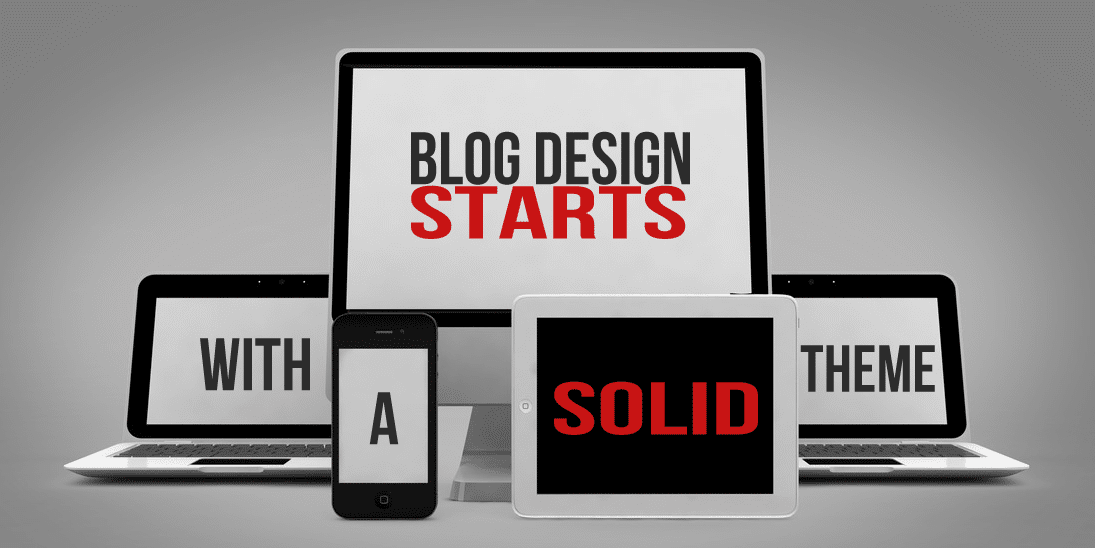
Killer blog design always begins with your foundation. It is essential that you get firmly planted in a theme foundation that is flexable, cutting edge, and built for the long term success.
Assuming you’re using WordPress, I’m going to give you 8 core elements to look for when choosing your blogging theme. With so many options out there, you’ll want to know they key things to look for to make the right choice.
On top of that, I’ll tell you why I believe I have found the ultimate blogging theme.
This is part of the Blog Design Essentials series. Check out the rest of the posts in the series to get the most out of it.
Content Focused
The first thing you want to look for in a great blogging theme is that it is focused on the most important part of your blog– the content.
When you read through the feature sets of any theme, you want to get a sense that they made your content the primary focus of their design. If the theme doesn’t focus on your content as the most important part of the equation, then you’re not going to see a long term gain for your investment.
SEO Friendly
You want a theme that is SEO optimized so that search engines will love your site. Better SEO (Search Engine Optimization) means that people are more likely to discover your site through a search engine like Google. This will ensure that you blog will reap long term, continuous growth.
Be careful though– there are a lot of themes out there that claim their theme is SEO optimized when it’s really not. If they don’t back up their claims with sufficient proof of optimization, then I would steer clear.
Mobile Ready (a.k.a. Responsive)
I will be writing about this later in the series, but in brief– a responsive theme is crucial. In today’s mobile world, you’re blog must be ready to cater to mobile devices such as smartphones and tablets. A theme that isn’t responsive or mobile-ready is not even a candidate.
Responsive is a term that means the site will automatically adjust to the user’s browser size. For example, if you’re on my site right now on a computer screen, just pull the side of the browser in and see what happens. The site automatically resizes in real time to fit your browser.
If you’re reading this on a mobile device right now, you’re already seeing that the site has formatted itself for your screen. You’re welcome. 🙂
As fast as technology is advancing, there is no excuse for a theme to be un-responsive. Not responsive = deal breaker.
Child Theme Ready
If you don’t know what a child theme is, let me give you the short explaination:
A child theme is a way of customizing your theme without the risk of screwing up the original theme files.
You may not utilize this right away, but in the long run it’s good to have. When you do have the resources to hire a designer or developer, this will allow them more freedom and less risk when developing your blog further.
This is also good for the up-and-coming designer/developer who wants to dabble in CSS, or maybe tweak some of their sites functions. It will allow you to experiment with things without worrying about breaking something.
Simple And Elegant Out Of The Box
You’ll want to look for something that looks good out of the box. Simplicity is key. The less clutter there is, the more people can focus, again, on your content.
You shouldn’t have to ruffle through too many options to get your site up and looking good. Some themes are so “feature rich” that it will take you an hour of tinkering with settings, color toggles, and other adjustment functions just to get it running.
Having too many options is definitely a bad thing. It wastes time, makes life more complicated (who needs that?), and in most cases will slow your site down making it less user and search engine friendly. It is also a sign that it doesn’t live up to the next thing to look for…
Tight Integration With WordPress Core
You want a theme that was well thought out enough to leave the core WordPress functions in tact. These could be things such as background color, header image, sidebar widgets, navigation menus, or post formats.
Any function that bypasses WordPress’ native functions is potentially going to cause unneccesary clutter. And again, we don’t like clutter. We especially don’t like redundant clutter that slows down and bloats our site for search engines.
Themes with comprehensive admin panels usually miss the mark here. In an attempt to make things “simpler” for the user, they actually handicap them because they never learn to use what WordPress already has in place.
On top of that, if the user ever ditches the theme for a better one, they will not be able to find the WordPress functions because they’re used to everything being in their “all in one place” admin panel.
In a nut shell, find a theme that lets WordPress do what it is already built to do.
A Solid Support Forum
Probably the most essential of all of these items is a solid support forum. A place where you can go to ask questions, get help, and engage in an active community of people using your same theme.
This can be an absolute nightmare if you don’t have a proper support system to troubleshoot problems, or ask questions.
Ongoing Updates
You’ll want a theme that is constantly evolving as technology, WordPress, and the digital world is evolving. You don’t want a stagnant theme that isn’t constantly being improved and upgraded with the latest standards.
The main reason for this is security. Having a theme that is out of date with current security standards is dangerous. You don’t want to wake up one day and find that your site has been hijacked or flagged by Google for malware.
So What Is The Ultimate Theme?
After searching through thousands of themes, experimenting and building more than a dozen different frameworks I am 100% confident I’ve found the ultimate blogging theme. If you’re a long-time reader here, you know what I’m going to say next:
Genesis Theme by StudioPress [aff link].
Not only does Genesis Theme meet all the essential criteria, it blows them away with flying colors. Here’s how it measures up:
- Content focused – Putting your content as the primary visual focus is clearly StudioPress’ goal.
- SEO friendly – Optimized and refined over the years to be an SEO powerhouse.
- Responsive/Mobile ready – Seamlessly, beautifully, awesomely elegant, and highly functional using HTML 5 responsive frameworks.
- Child theme ready – You bet’cha. StudioPress has created tons of child themes that are ready to plug and play.
- Simple and elegant out of the box – Brilliantly.
- Tightly integrated with WordPress core – You wont find any conflicts here.
- Solid support forum – The best in the industry today. Period.
- Ongoing Updates – Like a boss! These guys are on top of it!
Needless to say, I’m a huge fan of StudioPress. It took me a while to recover from the heartbreak of saying goodbye to my previous favorite, Standard Theme, but I’ve found Studio Press to be more than a worthy replacement. They are a team of powerhouse bloggers, business owners, and digital entrepreneurs who are at the top of their game.
I now recommend Genesis to all my clients who desire to build a significant online platform for themselves or their brand.
Conclusion
I hope you will take all these factors into consideration when looking for a solid foundation to build your blog upon. If you can find a theme that fits all the criteria I’ve outlined above, you will surely be successful in the longrun.
Are there any questions you have about what to look for in a theme? You can leave a comment by clicking here.
Disclosure: Some of the links above are affiliate links meaning if you make a purchase of the recommended product(s) from those links, I will get a small commission. I only recommend things I use myself, and would never profit from anything that I’m not 100% convinced it is worthy of your attention.


Leave a Reply
You must be logged in to post a comment.